
Prompt
Copy and customize
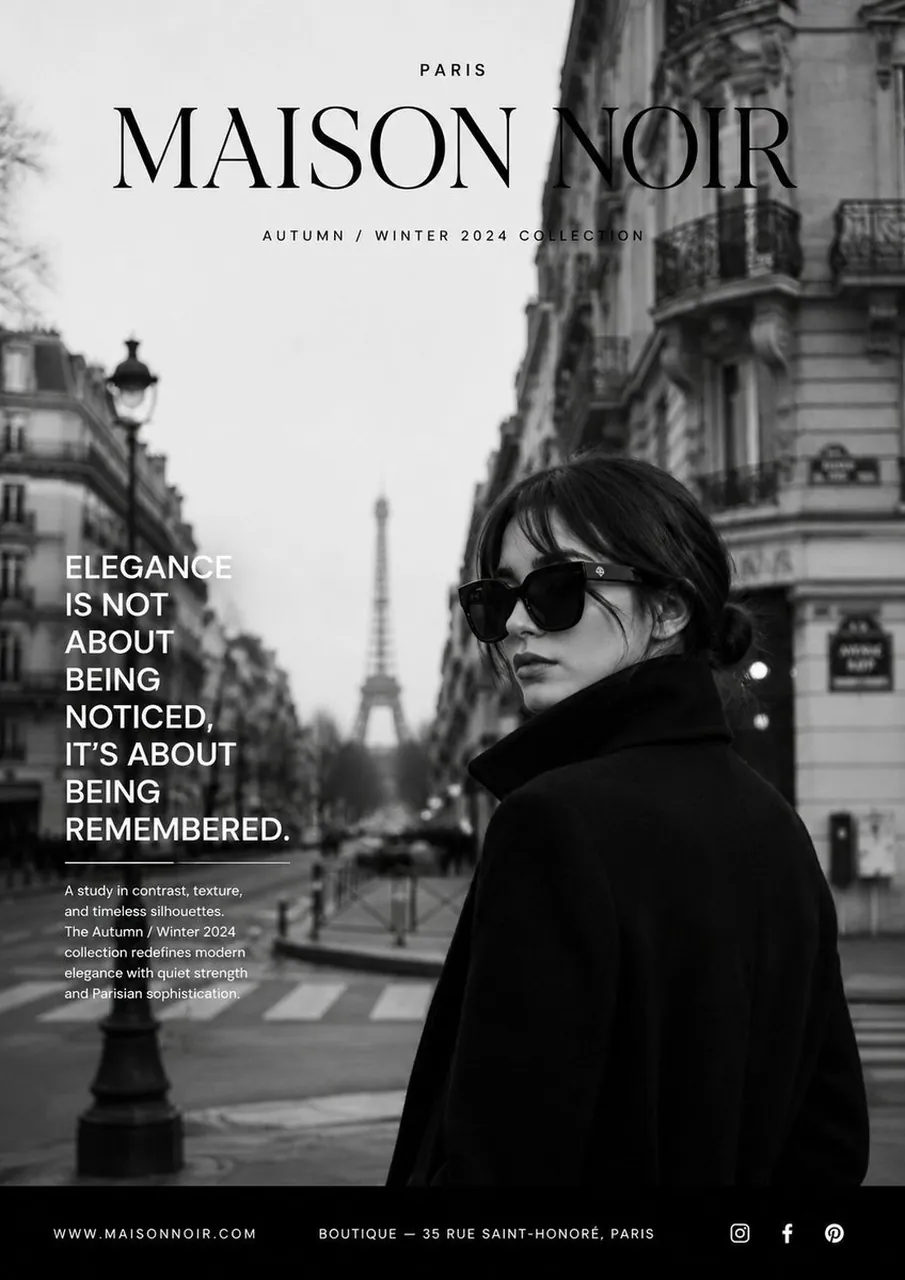
Create a premium luxury fashion advertisement in a minimalist Parisian editorial style. A sophisticated woman wearing oversized black sunglasses and a structured black wool coat with a high collar stands confidently on a classic Parisian street. She is positioned on the lower right of the composition, looking toward the left with a calm, elegant expression. Her hair is styled in a sleek low bun. The background features iconic Parisian architecture with soft cinematic depth of field and the Eiffel Tower subtly visible in the distance. The entire image is black and white with deep contrast, soft natural lighting, crisp details, and a timeless high-fashion aesthetic. The layout resembles a luxury magazine cover with generous negative space. At the top center, place a large elegant serif brand name, with a small uppercase location above it and a refined collection title beneath it. On the left side, include a bold, uppercase fashion slogan in a modern sans-serif font. Below it, add a short collection description in small, clean typography. Finish with a minimalist black footer containing a website, boutique location, and social media icons.
Luxury branding, Vogue editorial, Harper's Bazaar aesthetic, Swiss grid layout, premium typography, minimalist composition, cinematic photography, ultra-realistic, 85mm lens, shallow depth of field, soft ambient light, monochrome, 8K, magazine-quality print, vertical A4 poster.
Best for
Tips
Keep the main subject focused so premium luxury fashion advertisement in a minimalist remains recognizable after style or lighting changes.
Adjust camera angle and aspect ratio before generation when the composition needs a specific platform format.